

AICKO PDF is a free PDF editor for Windows 10 and 11. It reads, edits and converts PDF files without a subscription, without an account and without an internet connection, so your documents never leave your computer.
You can change the text, rearrange pages, merge files, compress, sign, protect and convert to Word. There are also tools for teachers. It is available from the Microsoft Store.
At a glance
- Platform: Windows 10 and 11 (Microsoft Store)
- Price: free, no ads
- Protection: AES-256 password, real redaction
- OCR: yes, uses Windows
- Works offline: yes, no account
What this free PDF editor does
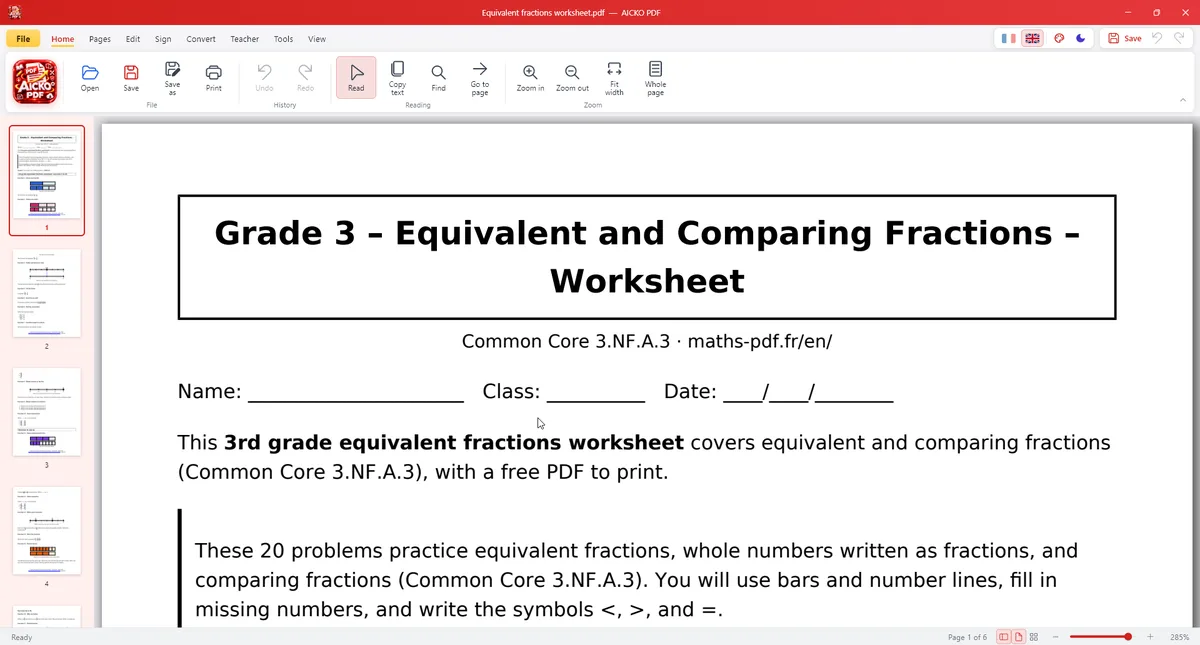
To fix a typo, double-click on the text and correct it: the original font, size and colour are kept. You can also bold, italicise, align and add new text boxes. In the page view, drag and drop thumbnails to delete, rotate, duplicate, extract or insert pages, merge several files or split one.
Conversion covers PDF to Word (.docx), PDF to PNG or JPG, and pictures or photos to PDF.
Who it is for
Students who must annotate a worksheet, parents who need to sign and return a form, and teachers who prepare handouts all find what they need. Anyone tired of online converters that upload private files will appreciate that everything runs locally.
Main features
- Compress a PDF, draw a signature, add stamps, watermarks and page numbers
- Protect with an AES-256 password and truly redact sensitive information
- Text recognition (OCR) with Windows, so scanned PDFs become searchable and copyable
- Fill in forms and have a document read aloud
- Teacher tools: gap-fill sheet, separating question and answer pages, A5 booklet, 2 or 4 pages per sheet, version adapted for dyslexia
- Dark mode and seven colours, in French or English
Getting started
- Install AICKO PDF from the Microsoft Store.
- Open a PDF file.
- Double-click a text to edit it, or open the page view to reorganise.
- Use the tools to sign, compress, protect or convert.
- Save the result under a new name to keep the original.
Why a maths learner will like it
Maths sheets are often PDFs: you receive a worksheet, you need to write on it, then send it back. With AICKO PDF you can fill in answers on screen or separate a problem sheet from its answer pages. You can browse the math books of this site and the lessons, then merge the pages you need into one personal revision file.
A typical use
A school sends a fifteen-page document, and you only need three pages. Open the file, switch to the page view, extract the pages you need and save them as a new PDF. Next, add your signature and a stamp, apply a password with AES-256 and compress the result before sending it by email. For a scanned form, run the text recognition first, so you can copy a line, search a word or have the document read aloud. All of this happens on your own computer, which matters for documents that contain private information.
Tips
Always compress or convert a copy, so the original is safe. For a confidential document, use the real redaction tool rather than a black rectangle, which only hides text. Add page numbers and a watermark before sharing a long document, and use the read-aloud feature when you want to check a text by ear.
Frequently asked questions
Is there a free PDF editor for Windows that works offline?
Yes. AICKO PDF is free for Windows 10 and 11. It edits text, organises pages, merges, compresses, signs and converts PDFs without an account or internet, so your files stay on your computer.
Can I edit the text of a PDF in AICKO PDF?
Yes. Double-click a text to correct it, and the original font, size and colour are preserved. You can also add new text boxes, with bold, italic and alignment options.
Can AICKO PDF convert a PDF to Word?
Yes. It converts a PDF to Word (.docx), to PNG or JPG images, and turns pictures or photos into a PDF. A text recognition tool makes scanned PDFs searchable and copyable.
Does AICKO PDF have tools for teachers?
Yes. It can create a gap-fill sheet, separate questions from answers, make an A5 booklet, print 2 or 4 pages per sheet and produce a version adapted for students with dyslexia.
