


AICKO PLAYER is a free video and music player for Windows 10 and 11. It reads nearly every audio and video format, keeps a playlist and resumes a film or a lesson exactly where you stopped.
It offers only the options that people use most, in a clean emerald-green design. Students who watch recorded lessons and families who play music will find it simple. It is available from the Microsoft Store.

Get AICKO PLAYER
At a glance
- Platform: Windows 10 and 11 (Microsoft Store)
- Price: free
- Engine: libmpv, nearly every format
- Resume: position remembered per file
- Languages: French and English
What this free media player offers
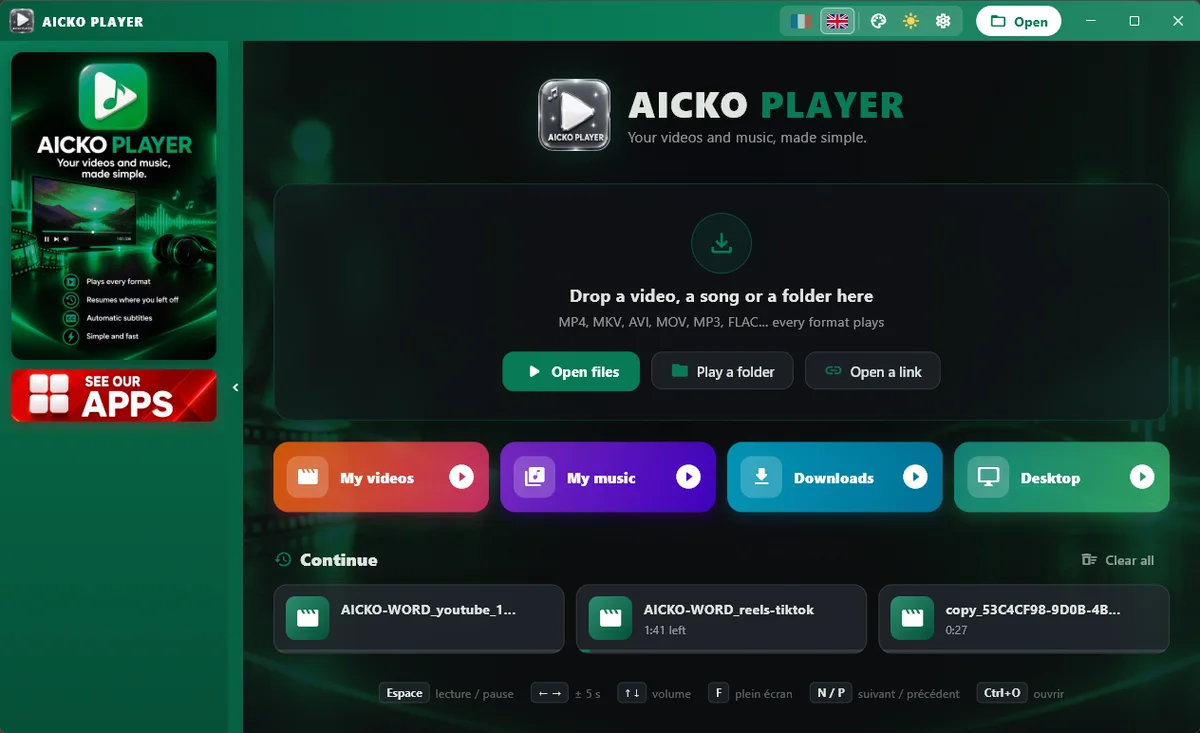
The engine behind it is libmpv, the same family of technology used by well-known players, which reads a very wide range of file types. Drop files on the window or open a folder, build a queue, and use shuffle or repeat. A file you choose by hand is always tried, even if its extension is unusual.
Quick shortcuts take you to your Videos, Music, Downloads and Desktop folders.
Who it is for
It suits students who follow video courses and need to stop and resume, teachers who show a clip in class, and anyone who wants one player for music and films. The program asks for little: open a file, press play.
Main features
- Playlist with shuffle, repeat and drag and drop
- Resume from the last position of each file
- Subtitles loaded automatically from the file next to the video, plus a menu for subtitle and audio tracks
- Playback speed, screenshot, and fit, fill or stretch display
- Always on top, full screen, mouse wheel for volume, click to pause, double-click for full screen
- Keyboard shortcuts, links to online streams, French or English, light or dark, eight colours
Getting started
- Install AICKO PLAYER from the Microsoft Store.
- Open a file, a folder or paste a link.
- Click once to pause and double-click for full screen.
- Open the menu to choose subtitles or an audio language.
- Close it whenever you like: next time, playback resumes where you stopped.
Why a maths learner will like it
Recorded lessons are easier to follow when you can slow down. Lower the speed on a hard demonstration, take a screenshot of a formula on the board, and come back the next day at the same minute. After watching, check your understanding with the online quizzes or reread the matching lessons on this site.
A typical use
You downloaded a two-hour recorded course. Open the file, and when the teacher moves too fast on a proof, lower the speed. If subtitles exist in the same folder, they appear on their own, and you can switch the audio language if the file has several. At the end of the evening, simply close the player. The next day, open the same file and playback resumes at the minute where you stopped. For music, drop a whole folder in the window, turn on shuffle and let it run in the background.
Tips
Put the subtitle file in the same folder as the video with a similar name, and the program finds it by itself. Use the resume feature for long courses so you never need to search for your place. Screenshots are saved in the Pictures folder, in a folder named after the program. Choose the display mode that suits the screen: fit keeps the picture whole, fill removes the black bars.
Frequently asked questions
Is there a free video player for Windows that remembers where I stopped?
Yes. AICKO PLAYER is free for Windows 10 and 11 and remembers the playback position of each file, so a film or a recorded lesson resumes exactly where you left it.
Which formats does AICKO PLAYER play?
It is based on libmpv and reads a very wide range of audio and video formats. If a file has an unusual extension, you can still select it manually and the program will try to play it.
Does AICKO PLAYER handle subtitles?
Yes. It loads subtitles placed next to the video file automatically, and a menu lets you choose among subtitle tracks and audio languages. You can also change the playback speed.
Can I take a screenshot in AICKO PLAYER?
Yes. A capture button saves the current picture into the Pictures folder, inside a folder named AICKO PLAYER. The player also offers fit, fill and stretch display modes, and full screen.
