

Wayfarer is a simple travel guide for Android: you search a destination and the essentials for a good trip appear in one app, with no sign-up.
It has nothing to do with math lessons. It is for the students of Maths Facile and their parents who like clear steps, because a trip that is planned one step at a time feels easier and builds confidence.

Get Wayfarer


At a glance
- Platform: Android (Google Play)
- Interface languages: French, English, Arabic
- Use: type a city, open a section
- Offline: pages already viewed
- Account and ads: none
- iPhone: version in preparation
What it is
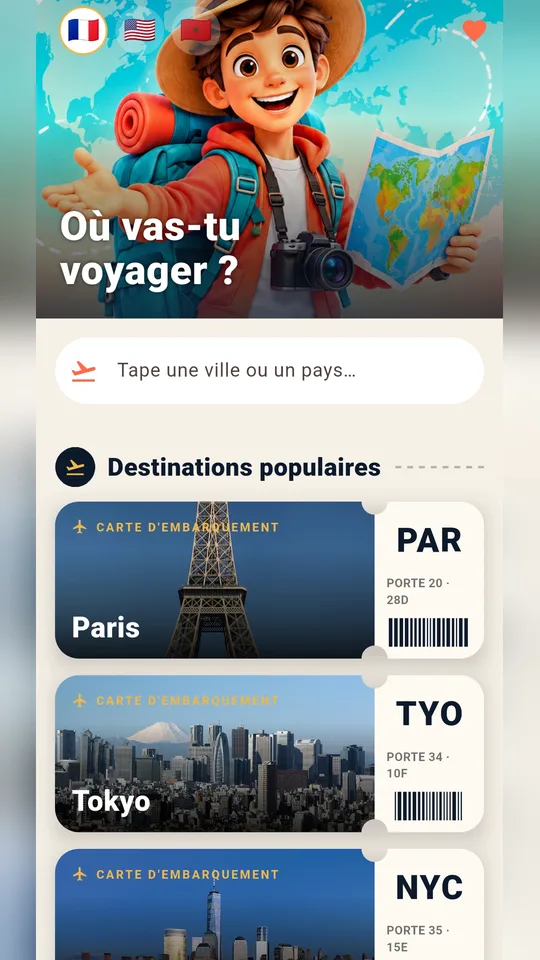
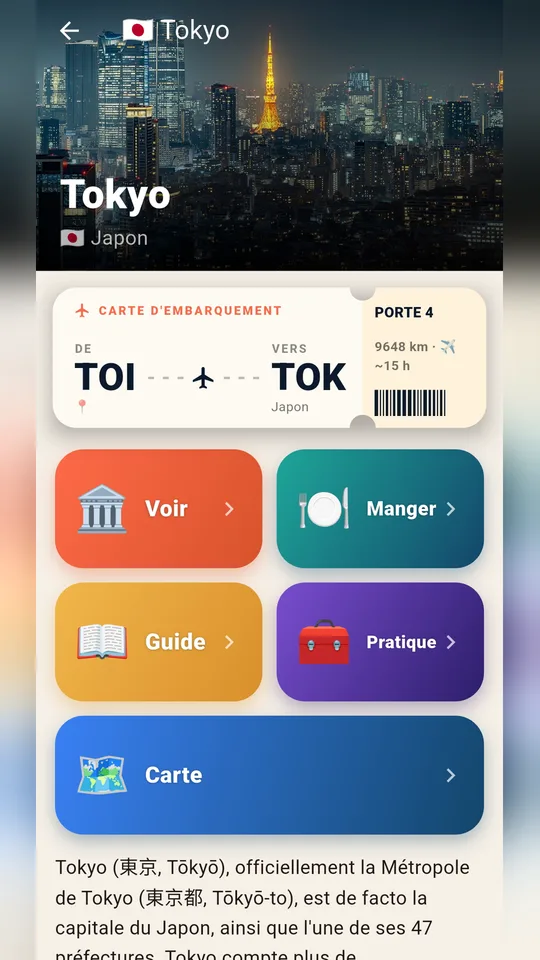
Wayfarer is a guide that always looks the same, whatever the destination. The first screen is a boarding pass that shows the city, the country, how far away you are and how long the trip should take. From there you choose a section: see, eat, guide or practical.
Who should use it
It is for students who find big tasks stressful and prefer short, clear instructions, and for parents who help them prepare a school trip or a family holiday. A Grade 7 student can check the sights of the destination and write a few notes. Nobody needs technical skills: you type a name and tap a section.
Features
- See: landmarks and places to visit, with pictures, a text and a route
- Eat: nearby tables, cafés and bars, with hours when they are on record
- Guide: what to read before departure, plus local manners
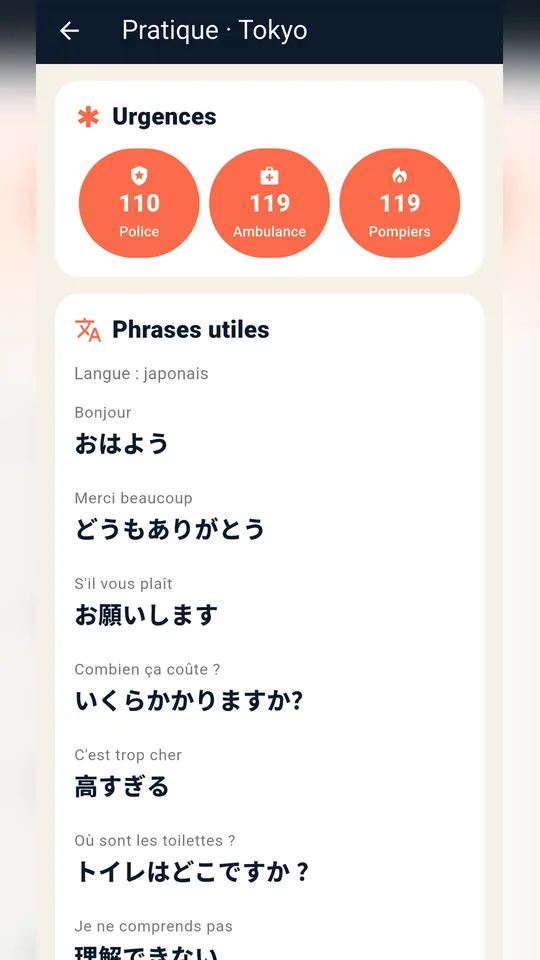
- Practical: emergency numbers in one tap, expressions in the local language and a notebook
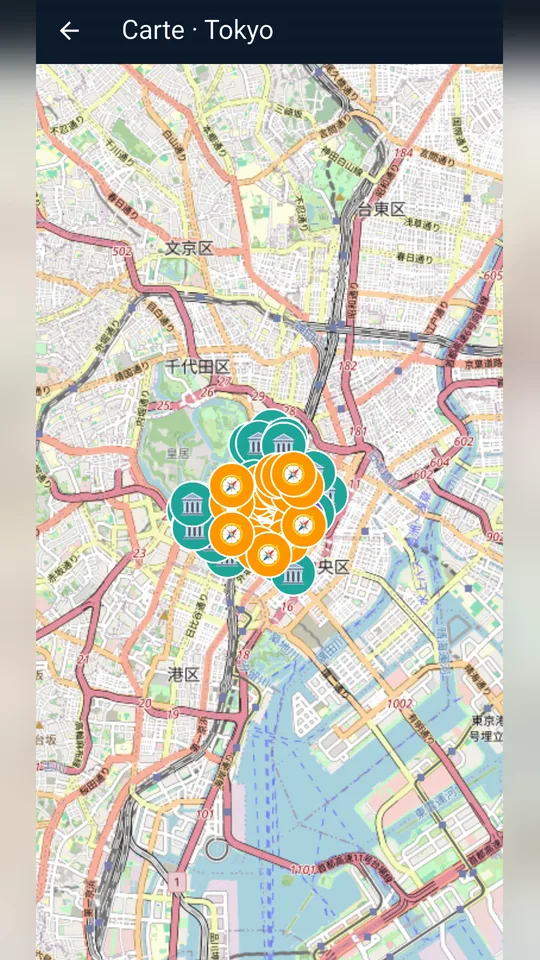
- Map: a route on foot or by car without leaving the app
- Favorites: the places you want to find again
Getting started, step by step
- Install Wayfarer from Google Play on an Android phone.
- Tap the flag of your language: French, English or Arabic.
- Type a city or a country in the search bar.
- Open a section such as see, then tap a place.
- Tap the directions button to be guided to that place.
How it connects to Maths Facile
This site explains math in simple steps with lessons, quizzes and books. It does not offer travel content. Wayfarer follows the same starting idea: move at your own pace and never feel lost. For practice before or after a trip, go back to the lessons, the quizzes or the Grade 6 (6ème) lessons.
Tips to keep it easy
Open your destination at home, while you have a connection: pages you have already viewed stay available offline. Save only a few favorite places so the list stays short. The phone shares its position only to measure the route, and the app keeps nothing. There is no sign-up and no advertising. Wayfarer is on Android; iPhone owners must wait, as that version is still in preparation.
Advice to stay calm
Go in small steps: one evening to read the destination, another to choose three places, a last one to reread the emergency numbers and the useful phrases. If a piece of information is missing, such as an opening time, do not worry: the data comes from maps and public sources, and you can always ask an adult to check. A mistake in the planning is not a failure; you correct it and carry on.
Frequently asked questions
What is the easiest travel guide app for Android?
Wayfarer is easy to use: you type a city and choose one of four sections, see, eat, guide or practical. It needs no account and shows no ads. It runs on Android, in French, English and Arabic.
How do I find emergency numbers in Wayfarer?
Open your destination, then the practical section. The emergency numbers of the country are available in one tap. The same section has phrases in the local language and a notebook for the destination.
Can Wayfarer guide me on foot?
Yes. The map shows all the places and starts walking or driving directions inside the app. Your position is only used to work out the route and is never saved.
Do I need internet to reread a destination?
Not if you have already opened it: pages you have viewed stay available without a connection. Open your pages before you leave, while the network works, so you can read them again later.
