

AICKO IPTV is an IPTV player app for Android, Android TV and Fire TV. You add your own M3U playlist or Xtream codes, and the app plays your channels on a phone, a tablet or a television.
It is a player only. It does not provide, host or sell any channel or video: you bring the playlist from your own provider. Besides, it is a separate tool from the maths lessons on this site.


At a glance
- Platform: Android, Android TV and Fire TV
- Formats: M3U and Xtream codes
- Content provided: none, you bring your own playlist
- Television setup: QR code pairing
- Synced: favourites, hidden categories, playback position
What this IPTV player app does
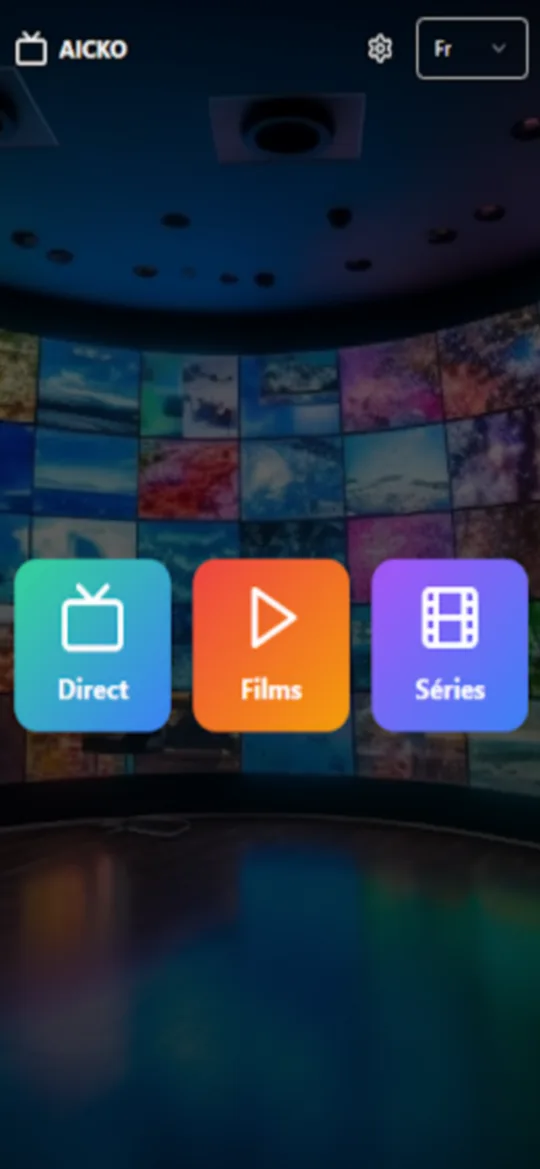
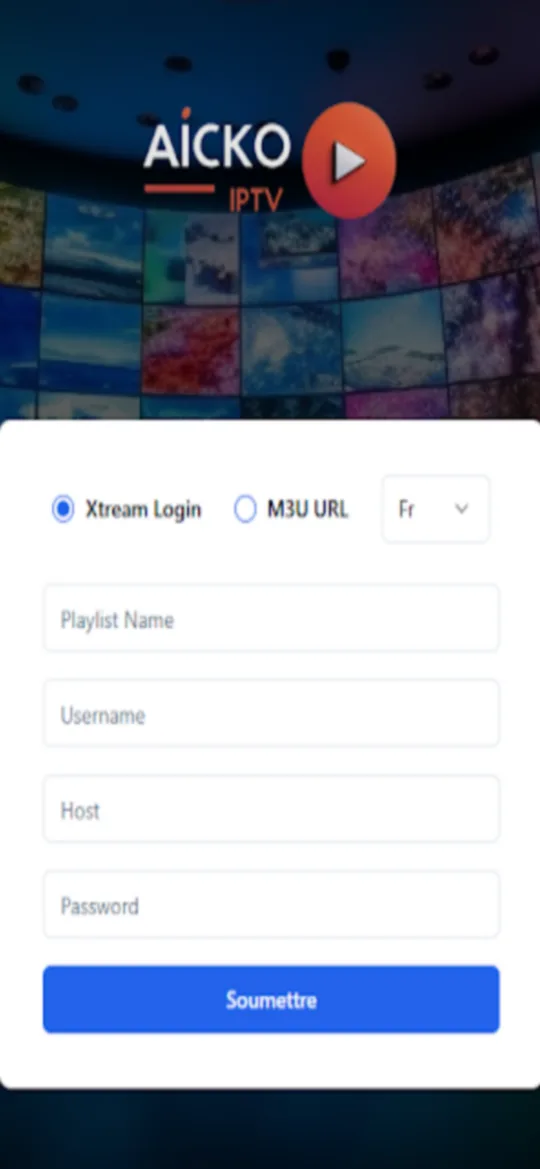
AICKO IPTV reads the playlist you give it and turns it into a clean list of channels, films and series. You choose how to enter it: paste an M3U address or type your Xtream codes. Also, the app keeps each playlist of yours in its own space, so favourites from one playlist never get mixed with another.
Overall, it runs on three kinds of devices: Android phones and tablets, Android TV boxes and Fire TV sticks from Amazon.
Who it is for
The app suits anyone who already has a playlist and wants a tidy, simple player for it. For example, in a household one person can set things up on the phone while everybody else just uses the television. However, nothing in it targets children or schoolwork, so parents should think about what their playlist contains.
Main features
- Playlists in M3U or Xtream codes format, entered on the phone
- Pairing a television with a QR code, so you never type long addresses with a remote
- Favourites and hidden categories, kept separately for each playlist
- Playback position remembered, so you resume where you stopped
- Synchronisation of favourites and progress between your devices
- The phone controls which playlist is active on the television
Getting started
- Install AICKO IPTV on your phone from Google Play, or on a Fire TV from the Amazon Appstore.
- Add your playlist: paste the M3U link or enter your Xtream codes.
- Open the app on your television and scan its QR code with the phone.
- Pick the active playlist from the phone.
- Mark your favourites and hide the categories you never watch.
Why it appears on a maths site
Maths Facile publishes software and apps made by the same author. Most of them help with school work, but this one is a different kind of tool, for the living room. If you are here for homework, go to the lessons or the partner sites page. If you also want a clear player for your own playlists, this page tells you exactly what the app does and does not do.
What stays on your side
Because the app is only a player, the quality of what you watch depends on your own provider and your own connection. AICKO IPTV does not change that, and it does not decide what is in your list. Instead, it adds order: categories you can hide, a search in each section, favourites that you can find again, and a playback position that follows you. If you use several playlists, each keeps its own favourites and its own hidden categories.
Good habits
Keep your playlist address private, since it is tied to your provider access. Next, hide the categories you never watch to make browsing quicker. On a television, remember that setup always goes through the phone: that is deliberate, because typing on a remote is slow and error-prone. If a connection drops, the app removes nothing from your account, and playback then resumes later.
Frequently asked questions
What is an IPTV player app?
An IPTV player app plays a playlist that you supply yourself, in a format such as M3U or Xtream codes. It does not include any channel. AICKO IPTV is such a player, for Android phones and tablets, Android TV and Fire TV.
Does AICKO IPTV provide channels or films?
No. AICKO IPTV does not host, provide or sell any content. You enter the playlist address or Xtream codes obtained from your own provider, and the app plays it. Choosing a legal source is the user's responsibility.
How do I set up AICKO IPTV on my television?
Open the app on the television to see a QR code, then scan it with the phone where AICKO IPTV is installed. The phone sends the active playlist to the television, so you never enter an address with a remote control.
Which devices does AICKO IPTV run on?
It runs on Android phones and tablets, on Android TV and on Fire TV from Amazon. Favourites, hidden categories and playback position can follow you from one device to another, for each playlist you add.
