


AICKO MAIL is a free email client for Windows 10 and 11. Your accounts all land in one unified inbox, with filters, blocked remote images and scheduled sending.
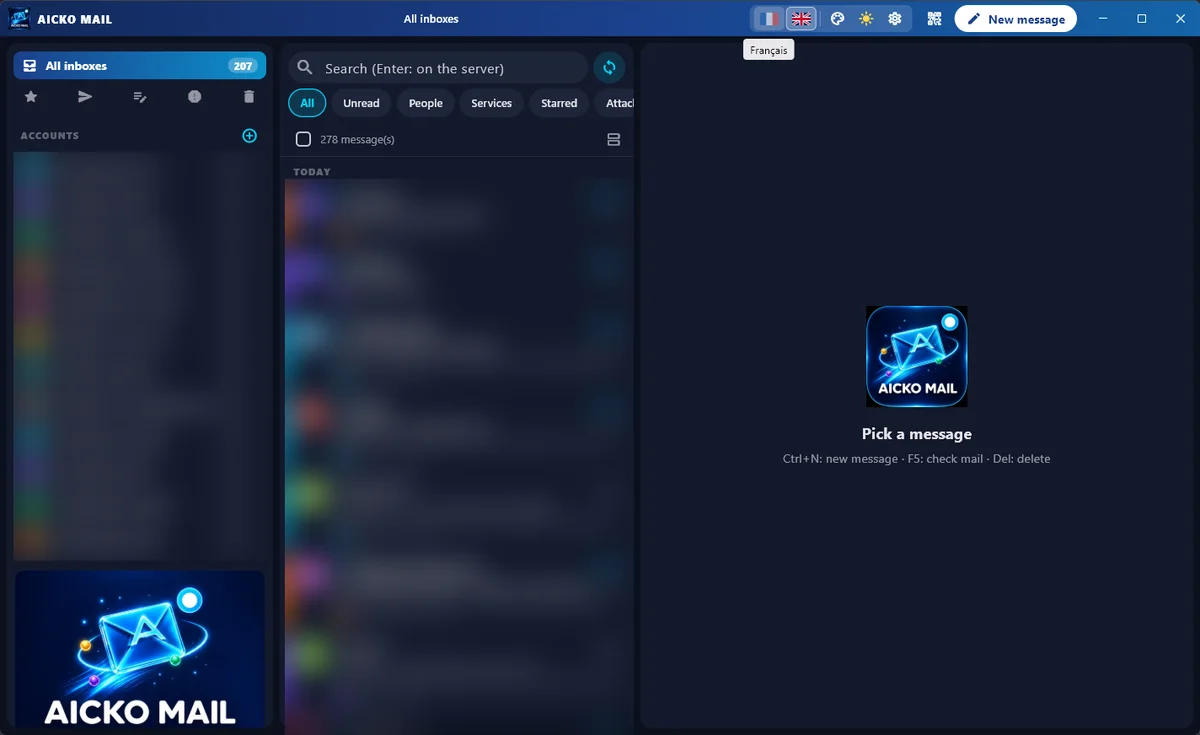
The layout has three columns: folders on the left, the list of messages in the middle, the message on the right. Besides, the program works with IMAP, POP and SMTP accounts, and you can get it from the Microsoft Store.
At a glance
- Platform: Windows 10 and 11 (Microsoft Store)
- Price: free
- Accounts: IMAP, POP and SMTP, unified inbox
- Privacy: remote images blocked, trackers counted
- Languages: French and English
What this free email client offers
The left column shows unified views and your accounts. Next to it, the list has a search box and quick filters: all, unread, people, services, favourites and attachments. You can select several messages with the Shift or Ctrl keys, or with checkboxes.
The reading pane blocks remote images by default and counts the trackers it stopped. Also, you can reply quickly at the bottom of the message.
Who it is for
Overall, it suits people with several mailboxes who are tired of switching between them: a student with a school and a personal address, a teacher with two schools, a parent with a family account. A simple layout helps when mail feels overwhelming, and that is the aim here.
Main features
- Automatic server detection when you add an account
- Rich text writing, with a switch to plain text, and images inside messages
- Undo send, scheduled sending and a warning when you forget an attachment
- A signature for each account, built in the editor or pasted as HTML
- A photo or logo, a short name and a colour for each account
- Import of accounts from Thunderbird and classic Outlook
- French or English, light or dark mode, eight colours
Getting started
- Install AICKO MAIL from the Microsoft Store.
- Add your first account: the program detects the server settings.
- Type your password, which the program stores encrypted on your computer.
- Add other accounts, or import them from Thunderbird or Outlook.
- Use the filters to find unread messages quickly.
Why it appears on Maths Facile
In practice, studying is easier when messages from teachers, school platforms and family do not get lost. Keep them in one place, mark the important ones as favourites and schedule a reply for the right moment. In short, the program is a companion tool for daily life. For the maths itself, head to the lessons or try a few quizzes.
A typical use
Imagine a teacher who has a school address, a personal address and a mailbox for a small association. In AICKO MAIL she adds the three, gives each a colour and a signature, and reads everything in the unified inbox. Then the People filter shows messages from real contacts, the Services filter groups notifications, and Favourites keeps what needs an answer. When she writes at night, she schedules the message for the next morning. Meanwhile, the program also protects her reading: remote images stay blocked, and the count of stopped trackers appears in the message.
Tips
Leave remote images blocked unless you know the sender, since they are a common way of tracking readers. Schedule the messages you write late in the evening. To save time, import from Thunderbird or Outlook, then retype each password once. Finally, give each account its own colour, so you see at a glance which mailbox a message belongs to.
Frequently asked questions
Is there a free email client for Windows with a unified inbox?
Yes. AICKO MAIL is free for Windows 10 and 11 and gathers all your accounts in a unified inbox. It supports IMAP, POP and SMTP accounts, and detects server settings automatically.
Does AICKO MAIL block tracking images?
Yes. The reading pane blocks remote images, and the program shows how many trackers it stopped. You can still decide to load images for a sender you trust.
Can I schedule an email or cancel sending in AICKO MAIL?
Yes. It offers scheduled sending and an undo option after you press send. However, it also warns you if the message mentions an attachment that you forgot to add.
Can I import my accounts from Thunderbird or Outlook?
Yes. AICKO MAIL imports addresses and server settings from Thunderbird and classic Outlook. You need to retype each password, and it does not import from the Windows Mail app or the new Outlook.
