
AICKO WORD is a word processor app for Android that opens and saves Word (.docx) documents on a phone or tablet. It has a ribbon like a desktop program, an equation editor and ready-made templates.
It works offline, needs no account and shows no ads. Your documents stay on your device, which makes it a simple choice for homework, reports and class handouts.A Windows version of the same program also exists, so a document started on the phone can be continued at a desk.
Get AICKO WORD
At a glance
- Platform: Android (Google Play)
- Files: .docx, PDF export, text and web page
- Equation editor: yes
- Account needed: no, works offline
- Languages: French and English
What this word processor app offers
The ribbon has Home, Insert, Page layout and File tabs. You find bold, italic, underline, strikethrough, superscript, subscript, font, size, colour, highlighting, heading styles, lists, alignment, indents and line spacing.
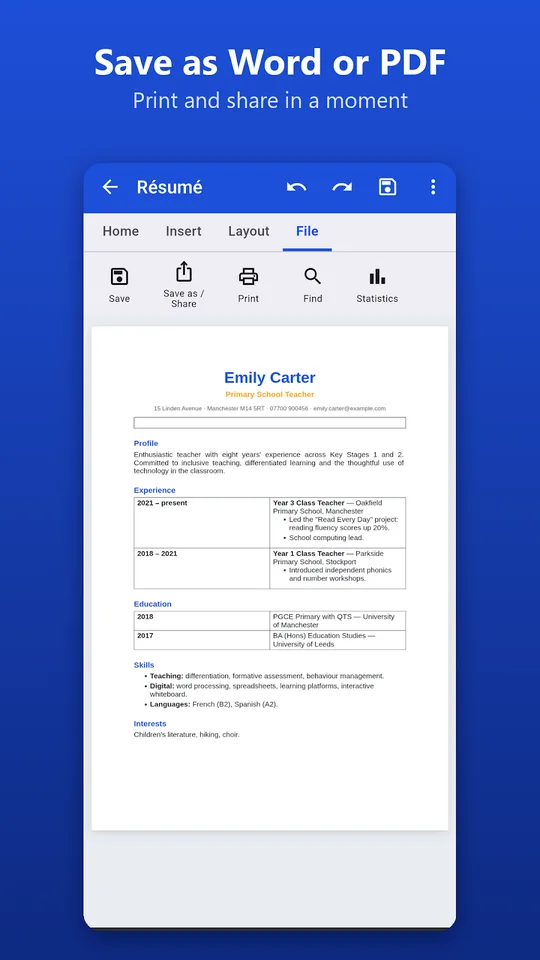
Open a Word document received by email, edit it and save it again as .docx, which every office program can read. You can also export to PDF, plain text or a web page.
Who it is for
Students typing an essay on a phone, teachers writing a worksheet between two lessons, and parents who need a letter or a CV quickly. The equation editor makes it especially useful for anyone who writes maths.
Main features
- Equation editor with fractions, roots, powers, subscripts, integrals and matrices
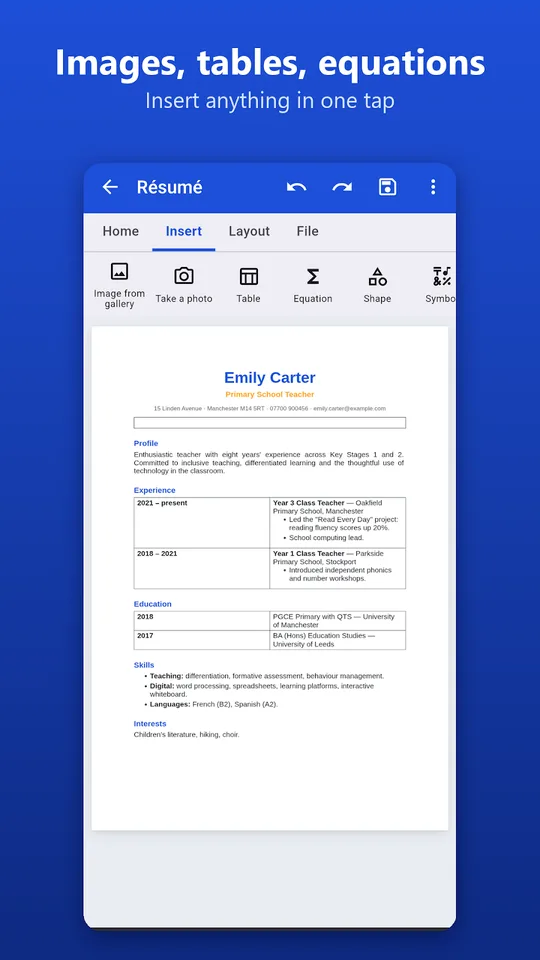
- Images from the gallery or camera, tables, shapes, symbols, links and page breaks
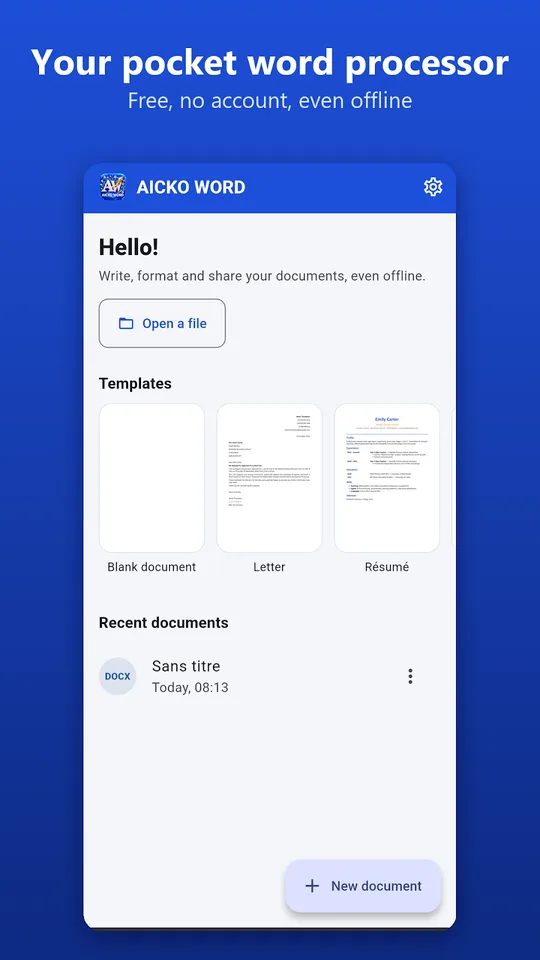
- Templates: CV, letter, course, worksheet, assessment, invoice and report
- Paper sizes A4, A5, A3 and US Letter, portrait or landscape, margins and page numbers
- Find and replace, document statistics and direct printing
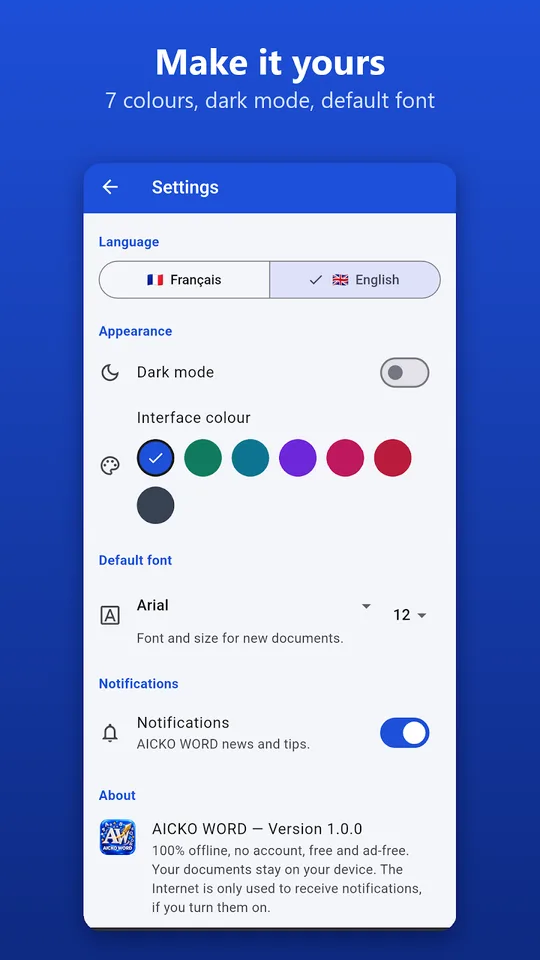
- Seven interface colours, dark mode, French or English
Getting started
- Install AICKO WORD from Google Play.
- Open a .docx file or choose a template.
- Type and format with the ribbon tabs.
- Insert an equation, a table or a picture where needed.
- Save as .docx or export to PDF, then share it.
Use with Maths Facile
Math homework often needs a clean written solution with real fractions and exponents. Write the steps in AICKO WORD, add equations with the built-in editor, and export a PDF to hand in. Teachers can start from the worksheet template and adapt the problems found in our lessons. The math glossary is useful to check terms before you write them.
A typical use
Say you have to hand in a short report with a table of results and two formulas. Pick the report template, replace the title and text, insert a table, then use the equation editor for the formulas. Add a photo of your experiment from the camera, check the page numbers and run a find and replace to fix a repeated typo. Export the result as a PDF to send, and keep the .docx for later changes. The same method works for a CV or a worksheet for a class.
Tips
Save early in the .docx format so the file opens anywhere. Use heading styles instead of enlarging text by hand, because they keep a long document tidy. Pick a template when you are unsure how to lay out a page, and choose the paper size before you start typing so the layout does not change later. Colour themes and dark mode are in the settings, so you can adapt the screen to a bright classroom or a dark bedroom.
Frequently asked questions
Can I edit Word documents on an Android phone?
Yes. AICKO WORD opens .docx files received by email, lets you edit and format them, and saves them again as .docx. You can also export to PDF, plain text or a web page. It works offline.
Does AICKO WORD have an equation editor?
Yes. The built-in editor handles fractions, roots, powers, subscripts, integrals and matrices. It is designed for teachers, students and anyone who writes mathematics on a phone or tablet.
What templates come with AICKO WORD?
It includes templates for a CV, a letter, a course, a worksheet, an assessment, an invoice and a report. You start from a tidy layout and replace the text with your own, which saves time.
Do I need an account or internet for AICKO WORD?
No. AICKO WORD needs no account, shows no ads and works fully offline. Your files stay on your device. The interface is available in French or English, with a dark mode and seven colours.
