

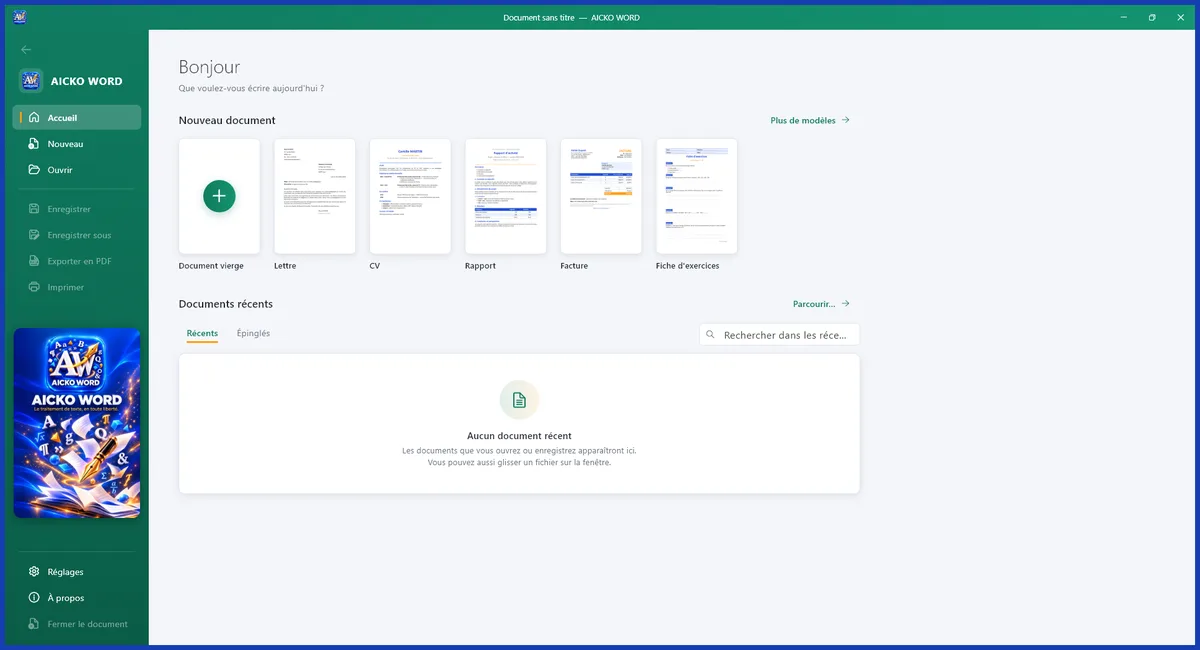
AICKO WORD is a free word processor for Windows 10 and 11. It opens and saves Word documents in .docx and .doc, edits PDF files and exports to PDF, all without an account, without ads and without an internet connection.
It was designed for teachers, students and writers who want a clear ribbon, a good equation editor and ready-made templates, not a maze of options. You can download it from the Microsoft Store.
At a glance
- Platform: Windows 10 and 11 (Microsoft Store)
- Price: free, no ads
- Formats: .docx, .doc, .odt, RTF, text, PDF
- Equation editor: yes
- Works offline: yes, no account
What this free word processor offers
The ribbon has five tabs: Home, Insert, Page layout, Review and View. You find fonts, sizes, colours, highlighting, heading styles, lists, alignment, indents, line spacing, borders, shading and a button to clear formatting. Documents are saved as .docx by default, a format that every office program reads.
Besides Word files, AICKO WORD opens and saves OpenDocument (.odt), RTF and plain text. It also opens PDF files so that you can change them, and exports your work to PDF.
Who it is for
It suits anyone who prepares written material: a student typing a report, a parent writing a letter, a teacher building a worksheet. For people who struggle with heavy software, the layout is calm and every tool is where you expect it.
Main features
- Built-in equation editor with fractions, roots, powers, integrals and matrices
- Images, tables with merged cells, shapes, decorative text, symbols and links
- Headers, footers, page numbers and page breaks
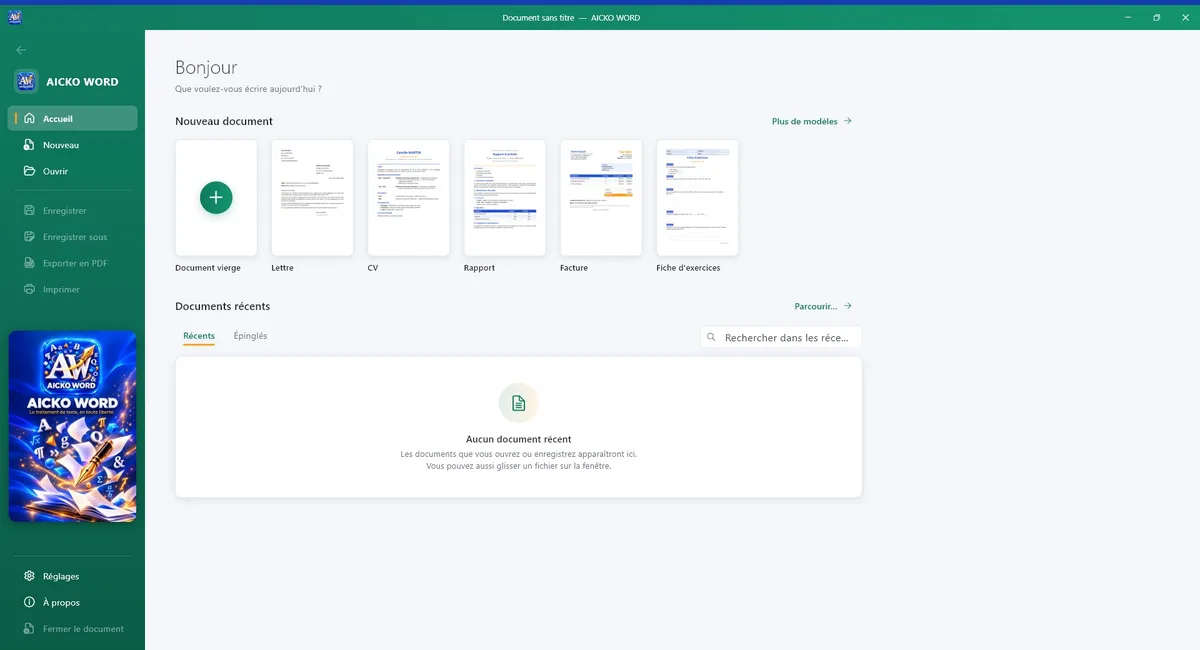
- Templates: letter, CV, report, invoice, worksheet, course and assessment
- Spell checker, find and replace, document statistics, zoom, ruler and reading mode
- Dark mode and seven interface colours, in French or English
Getting started
- Install AICKO WORD from the Microsoft Store.
- Open a document, or start from a template.
- Type your text and format it with the Home tab.
- Add an equation, a table or a picture from the Insert tab.
- Save as .docx, or export to PDF to share.
Why a maths learner will like it
Solutions to maths problems need fractions, exponents and roots written properly, and typing them in a standard editor is often painful. The equation editor in AICKO WORD shows a live preview, so you see the formula as you build it. Write your steps clearly after reading a lesson in our lessons, and keep the worked solution as a PDF. For a school project, our math glossary gives precise definitions to quote.
A typical use
A teacher wants a one-page worksheet on fractions. She opens the worksheet template, replaces the title, types five problems and uses the equation editor for the fractions, so they appear as real stacked numbers instead of slashes. She adds a table for the answers, checks spelling with the spell checker, and previews the page in reading mode. Then she saves a .docx for herself and exports a PDF for the class. A student can follow the same steps for a report, with a header and page numbers added in a couple of clicks.
Tips
Use heading styles to organise a long document, and the templates to avoid starting from a blank page. Because everything works offline, you can write on a train or in a classroom without a signal. Save often, and keep the .docx format for sharing.
Frequently asked questions
Is there a free word processor for Windows that opens .docx files?
Yes. AICKO WORD is free, opens and saves .docx and .doc files, and also handles .odt, RTF and text. It runs on Windows 10 and 11, needs no account and works offline.
Does AICKO WORD include an equation editor?
Yes. The built-in editor covers fractions, roots, powers, integrals and matrices, with a live preview. It is designed for teachers and students who write mathematics and want results that look correct on the page.
Can AICKO WORD edit a PDF?
It opens PDF files so you can modify them, and exports your documents to PDF. For a PDF that needs heavy editing, a dedicated tool such as AICKO PDF is better suited, since it is built for that task.
Does AICKO WORD need an internet connection or an account?
No. It works fully offline, needs no account, and has no ads or subscription. Your documents stay on your computer. The interface is available in French and English, with a dark mode.
